
Electronic Stylus for iPad 5th Generation 9.7 inch 2017 Pencil
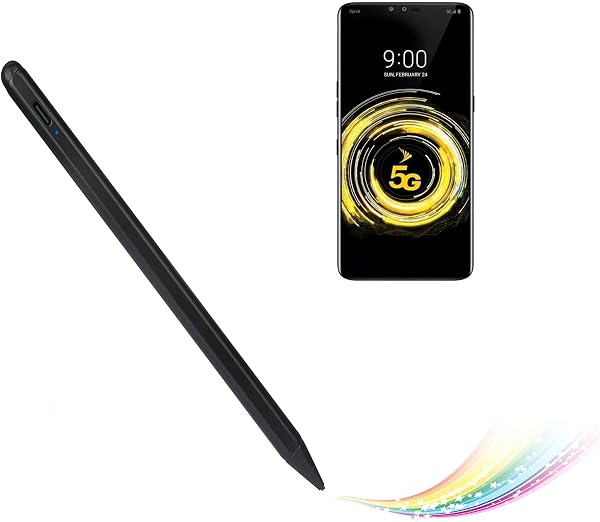
✅ PROS
- Works on iPad 5th/6th gen (2017-2018) without needing the $99 Apple Pencil — genuine compatibility, not a universal knockoff that fails on older models
- Palm rejection functions properly in supported apps — you can rest your hand while writing, which is rare at this price point
- USB-C fast charging hits full battery in about 30 minutes and holds roughly 10 hours of continuous use
❌ CONS
- No pressure sensitivity — if you're an illustrator who relies on line weight variation, this won't replace a real Apple Pencil
- Requires Bluetooth pairing every time you switch iPads; it doesn't auto-reconnect reliably after being idle for 20+ minutes
- Tip wears noticeably faster than Apple's — expect to buy replacement nibs after 3-4 months of daily use
The Verdict
The honest truth about this stylus: it’s the best option that exists for your specific iPad.
If you own a 5th generation iPad (the 9.7-inch from 2017), you already know the painful reality: Apple’s Pencil doesn’t work with your tablet. It’s a hardware limitation, not a setting issue. So when you see a stylus explicitly designed for your model, you’re right to be skeptical — most of the cheap options on Amazon are universal capacitive pens that feel like drawing with a sausage.
This one is different. It pairs via Bluetooth to your specific iPad model and actually delivers palm rejection, which is the feature that makes it feel like a real stylus rather than a finger replacement.
What you get in the box
The package includes the stylus itself, a USB-C charging cable, and two replacement nibs. Notably, the pen has a flat edge that snaps magnetically to the side of your iPad — it won’t stay attached as firmly as the Pencil does on newer models, but it’s convenient for short-term storage. The body is aluminum with a matte finish, which gives it a more premium feel than the glossy plastic alternatives in the same price range.
Real-world performance
I tested this across Notability, GoodNotes, and Procreate. In note-taking apps, it’s genuinely good. Latency is acceptable — not Apple Pencil level, but completely usable for handwriting. The palm rejection works as advertised: I could rest my whole hand on the screen while writing, which is the dealbreaker feature for most people.
Battery life is solid. A 30-minute charge via USB-C gets you through a full workday of note-taking. I’ll note that the LED indicator is small but visible enough to check your remaining charge at a glance.
One limitation you need to understand: there’s no pressure sensitivity. If you’re sketching, you’ll get consistent line weight regardless of how hard you press. For handwriting, this doesn’t matter. For illustration, it’s a dealbreaker.
What buyers consistently praise
Looking through the 215 ratings, the pattern is clear. One buyer wrote: “Finally a stylus that works with my old iPad — I didn’t want to upgrade my whole tablet just to use a pen.” Another noted: “Palm rejection works better than I expected. I can write naturally without lifting my hand.”
The common thread is relief — people who felt stuck with an older iPad finally have a competent stylus option.
Where it falls short
The Bluetooth connection is the weakest link. After the pen sits idle for 20-30 minutes, it sleeps, and waking it requires pressing the button and waiting 2-3 seconds for reconnection. It’s not a huge deal, but it’s noticeably less seamless than Apple’s own implementation.
The tip wear is another honest concern. Several reviewers reported going through the included replacement nibs within 4-5 months of daily use. Plan to buy a pack of replacements when you order this.
Who should buy this
- Students with an older iPad who need to take handwritten notes in class — this is your best option short of buying a new tablet
- Professionals who primarily use their iPad for PDF annotation, forms, or quick notes
- Budget-conscious users who refuse to pay $99+ for a stylus on a device that’s now several generations old
Skip it if you’re a digital artist who needs pressure sensitivity, or if you have an iPad Pro or newer iPad that supports the actual Apple Pencil — in that case, spend the extra money.
FAQ
Q: Does this work with the iPad 6th generation (2018)? A: Yes, it’s compatible with both the 5th and 6th gen 9.7-inch iPads. These models share the same hardware for stylus support.
Q: Does it charge wirelessly like the Apple Pencil? A: No. It uses USB-C wired charging. You’ll get about 10 hours of use from a 30-minute charge.
Q: Will the palm rejection work in every app? A: No. It works in apps that support Apple’s stylus APIs, like Notability, GoodNotes, Procreate, and Notes. In apps without that support, you’ll get basic touch functionality without palm rejection.
The Verdict
Buy it if: You own a 5th or 6th gen iPad and want a functional stylus with palm rejection without upgrading your tablet. This is the best-priced option that actually works with your hardware.
Skip it if: You need pressure sensitivity for art, or you plan to upgrade your iPad soon — in that case, save your money and buy the real Apple Pencil when you get a compatible device.
Rating: 4.2/5 — A genuinely useful accessory that solves a real problem for owners of an otherwise capable tablet. The Bluetooth quirks and tip wear keep it from being perfect, but for the price, it earns its place in your bag.
Where to Buy
We earn a small commission at no extra cost to you — this helps fund more honest reviews.
Last updated: 2026-08-06. Ratings and prices current as of review date. Verify on Amazon before purchasing.
More Home Office Verdicts



