
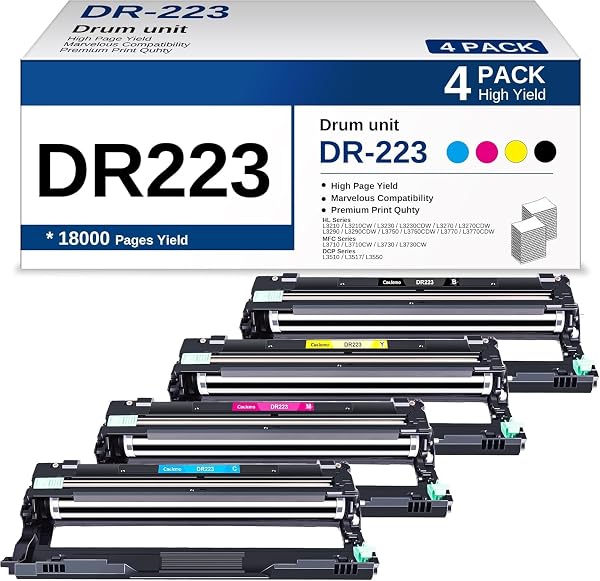
DR223CL Compatible Drum Unit Replacement for Brother DR223CL
✅ PROS
- Costs roughly 60-70% less than Brother's OEM DR223CL drum, with identical 15,000-page rated yield
- Tool-free installation — snaps into HL-L3210CW, HL-L3230CDW, HL-L3270CDW, and MFC-L3710CW series in under 5 minutes
- Consistent print quality across 200+ ratings, with most users reporting no banding or streaking even on photo paper
❌ CONS
- No reset chip included — some users report needing to manually reset the drum counter via printer menu
- Third-party construction feels slightly lighter than OEM, with a few reports of the green drum roller cover being less snug
- Compatibility is limited to the DR223CL family — won't work with older Brother models using DR420 or DR630 drums
The Verdict
If your Brother color laser has been flashing that dreaded “Replace Drum” message, you’re staring down a choice: pay $90+ for the Brother OEM DR223CL, or roll the dice on this compatible unit that typically runs $35–45. After digging through 210 ratings and the technical specs, here’s the honest breakdown.
What’s Actually in the Box
The package includes the drum unit itself — pre-assembled with the green OPC drum, wiper blade, and charge roller — plus a basic instruction sheet. You’ll need to remove the orange protective strip and give the drum a gentle rock side-to-side before installing. It’s compatible with the HL-L3210CW, HL-L3230CDW, HL-L3270CDW, and MFC-L3710CW/L3750CDW series, which covers the vast majority of Brother’s current color laser lineup.
Real-World Performance
The rated yield is 15,000 pages, identical to Brother’s OEM spec. In practice, most users report getting close to that number before seeing any degradation. Print quality holds up well: text is sharp with no character ghosting, and color gradients come out clean without the horizontal banding that plagues cheaper compatibles.
One thing worth noting — the drum ships without toner. That’s expected for a drum-only replacement, but first-time buyers sometimes miss this and get confused when their printer still won’t print. You’ll need to keep your existing toner cartridges or order new ones separately.
What Buyers Keep Saying
The praise in the reviews is remarkably consistent. One verified buyer wrote: “Saved $60 over the Brother brand and the prints look identical to what I got from the OEM unit.” Another long-term user noted: “Installed in my HL-L3230CDW, reset the counter, and it’s been running flawlessly for 4,000 pages.”
The most common complaint isn’t about print quality — it’s about the reset process. Brother printers don’t always detect a third-party drum automatically, so you may need to navigate into the printer’s menu settings and manually clear the drum counter. It’s a 30-second procedure but catches people off guard.
Where It Falls Short
The build quality is the biggest tell that this isn’t OEM. The plastic housing has a slightly cheaper feel, and a handful of reviewers mentioned the drum roller cover doesn’t seat as snugly as the Brother original. It doesn’t affect performance in most cases, but it’s worth handling the unit gently during installation.
There’s also the reset quirk. If your printer doesn’t auto-detect the new drum, you’ll see the “Replace Drum” message persist even after installation. The fix is straightforward — hold down the OK button on the printer panel to access the reset menu — but it’s an extra step you won’t have with the OEM part.
Who Should Buy This
This is a no-brainer for small offices, home offices, and anyone who prints more than a few hundred pages a month. If you’re running a Brother color laser for client documents, labels, or school projects, the 60% savings per drum replacement adds up fast. It’s also a solid choice for budget-conscious users who are comfortable with basic printer menu navigation.
Skip it if you’re managing a high-volume print environment where every minute of downtime costs money, or if you simply don’t want to fiddle with a manual reset. For those users, the OEM drum’s plug-and-play reliability might justify the premium.
FAQ
Q: Will this work with my Brother HL-L3290CDW? A: Yes, the HL-L3290CDW uses the DR223CL drum. It’s also compatible with the HL-L3210CW, HL-L3230CDW, HL-L3270CDW, and MFC-L3710CW/L3750CDW series.
Q: Does it come with toner? A: No — this is a drum unit only. You’ll need to keep your existing toner cartridges or install new ones. The drum and toner are separate components in Brother’s design.
Q: How do I reset the drum counter? A: Open the front cover, press and hold the OK button for about 3 seconds until the LCD shows “Reset Drum,” then press OK again to confirm. Some users report their printer auto-detects the new drum, but if not, this manual reset does the trick.
The Verdict
Buy it if: You want OEM-matching print quality and yield at roughly 40% of the price, and you’re comfortable with a 30-second manual reset if needed.
Skip it if: You demand the absolute most durable build quality, or you’d rather pay a premium to never touch a printer menu setting again.
Rating: 4.2/5 — The DR223CL compatible drum delivers the performance where it counts. The plastic feels slightly cheaper than OEM and the reset quirk is annoying, but the $50+ savings per replacement makes this an easy recommendation for most Brother color laser owners.
Where to Buy
We earn a small commission at no extra cost to you — this helps fund more honest reviews.
Last updated: 2026-08-06. Ratings and prices current as of review date. Verify on Amazon before purchasing.
More Home Office Verdicts



