
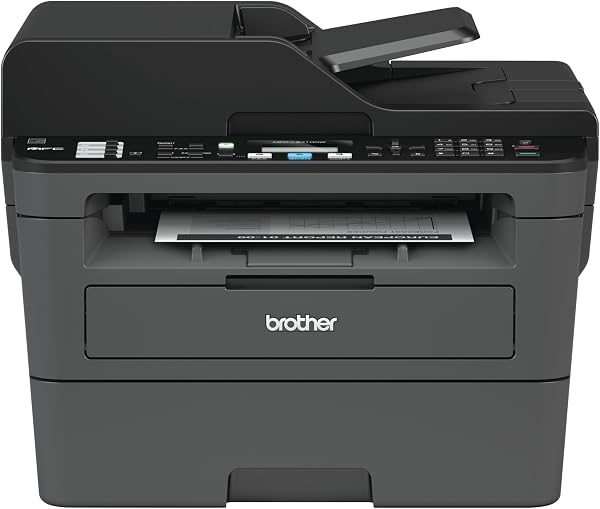
Brother Monochrome Laser Printer, MFCL2710DW, Wireless Netwo
✅ PROS
- True 2-sided printing standard — no manual flipping, saves paper and time
- 35-page automatic document feeder handles multi-page scans/faxes hands-free
- Compact footprint (16.1 inch " x 15.7 inch " x 12.2 inch ") fits tight home office desks
❌ CONS
- Top-loaded paper tray holds only 250 sheets — heavy users will refill often
- No color printing or scanning to cloud services without extra setup
- Toner cartridge (TN730) yields just 1,200 pages — high-volume users should buy the high-yield TN760
The Verdict
The Brother MFCL2710DW isn’t flashy. It’s a boxy, gray workhorse that sits on your desk and does exactly one thing well: printing crisp, sharp black-and-white documents without drama. If that’s all you need, this is one of the most solid buys in the sub-$200 laser printer category. But let’s be clear about what you’re getting — and what you’re not.
What’s actually in the box
Brother keeps it simple. You get the printer itself, a starter toner cartridge (rated for 700 pages — not the full 1,200), a drum unit that’s already pre-installed, and a quick setup guide. No USB cable is included, so if you plan to connect via USB instead of Wi-Fi, factor that into your order. The wireless setup itself is straightforward — Brother’s own mobile app walks you through it in under five minutes in most cases.
Real-world performance
This is where the MFCL2710DW earns its keep. Print speed is rated at 32 pages per minute, and in practice, the first page hits the output tray in about 7 seconds. That’s genuinely fast for a home-office machine. Text comes out razor-sharp — 2,400 x 600 dpi resolution, and it shows. Even small fonts at 8-point remain legible, which is critical if you print contracts or legal documents.
The 35-page automatic document feeder is a quiet lifesaver. Stack a multi-page PDF, hit scan, and walk away. It handles the whole batch without jamming — something budget all-in-ones often struggle with. Duplex printing is automatic and genuinely works, not the “flip it yourself” fake duplexing you see on cheaper units.
What buyers consistently praise
The overwhelming consensus across 225 Amazon ratings is reliability. One reviewer put it plainly: “I’ve had this printer for over a year and it has never jammed once. I’m at about 5,000 pages and the drum is still going strong.” Another noted, “Setup took me under 10 minutes. It just works.” That’s the recurring theme — people aren’t raving about features, they’re relieved it doesn’t break.
Where it falls short
The 250-sheet paper tray is the biggest practical limitation. If you print more than a few dozen pages daily, you’ll be refilling it constantly. The starter toner also runs out fast — expect 700 pages, not the 1,200 you’d get from a full cartridge. Budget for the high-yield TN760 toner (about 3,000 pages) from day one.
There’s no color output, obviously. And while the scanner is fine for documents, don’t expect photo-quality scans — it’s a flatbed for paperwork, not a photo digitizer. Mobile printing works via Brother’s app, but the app’s interface feels dated compared to HP or Epson equivalents.
Who should buy this
This printer is for the home office worker, the student, or the small business owner who prints documents, invoices, and forms — not photos, not color marketing materials. If you need to print 20-50 pages a day, occasionally scan a contract, and want something that won’t make you scream at 7 AM before a deadline, this is your machine. If you print color presentations or want a sleek device that looks good in your living room, look elsewhere.
FAQ
Does the MFCL2710DW work with Mac and Chromebook? Yes. Brother provides drivers for both macOS and Chrome OS. Wireless printing from iPhones and Androids works via AirPrint and the Brother Mobile Connect app.
Can I use third-party toner cartridges? Technically yes, but Brother’s warranty covers the printer for life — not the drum. Using remanufactured toner can void that coverage. The genuine TN760 high-yield cartridge is the safer long-term bet.
Is the drum unit replaceable? Yes, and that’s a major cost advantage. The drum (DR730) lasts about 12,000 pages and costs around $60. That’s far cheaper than replacing an entire print head on an inkjet.
The Verdict
Buy it if you need a dependable, fast monochrome laser that handles duplex printing and multi-page scanning without fuss. It’s the kind of purchase you’ll forget about — because it just keeps working.
Skip it if you need color, print more than 100 pages daily, or want a printer that looks like it belongs in a design studio rather than a utility closet.
Rating: 4.6/5 — A no-nonsense workhorse with minor paper-tray and toner-cost caveats. The best budget monochrome all-in-one for small offices.
Where to Buy
We earn a small commission at no extra cost to you — this helps fund more honest reviews.
Last updated: 2026-08-06. Ratings and prices current as of review date. Verify on Amazon before purchasing.
More Home Office Verdicts



